

The week’s economic events in one view
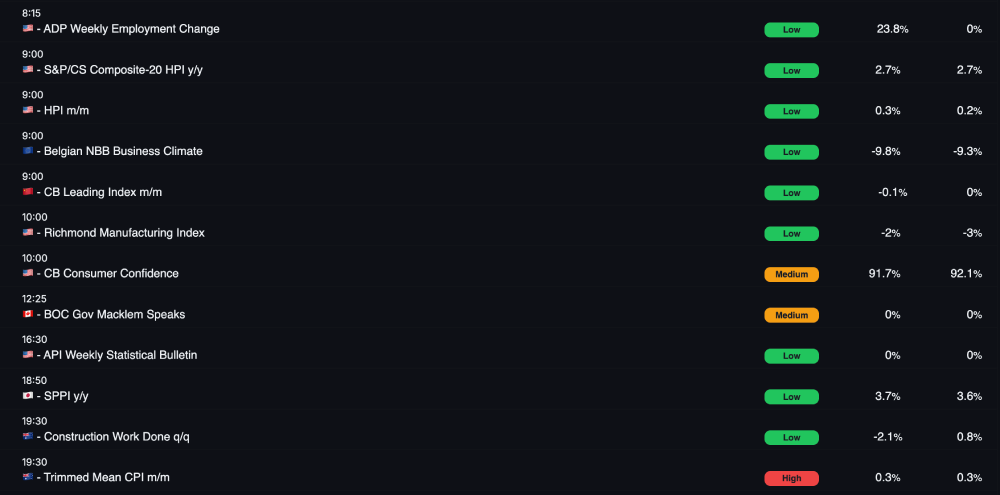
Display the current week’s scheduled releases in a daily list, with event times, currency identifiers, impact classifications, previous values, and forecasts.
Bring economic events and TradingView charts into your customer portal. Help traders review market conditions, check scheduled releases, and explore price action within your branded platform.
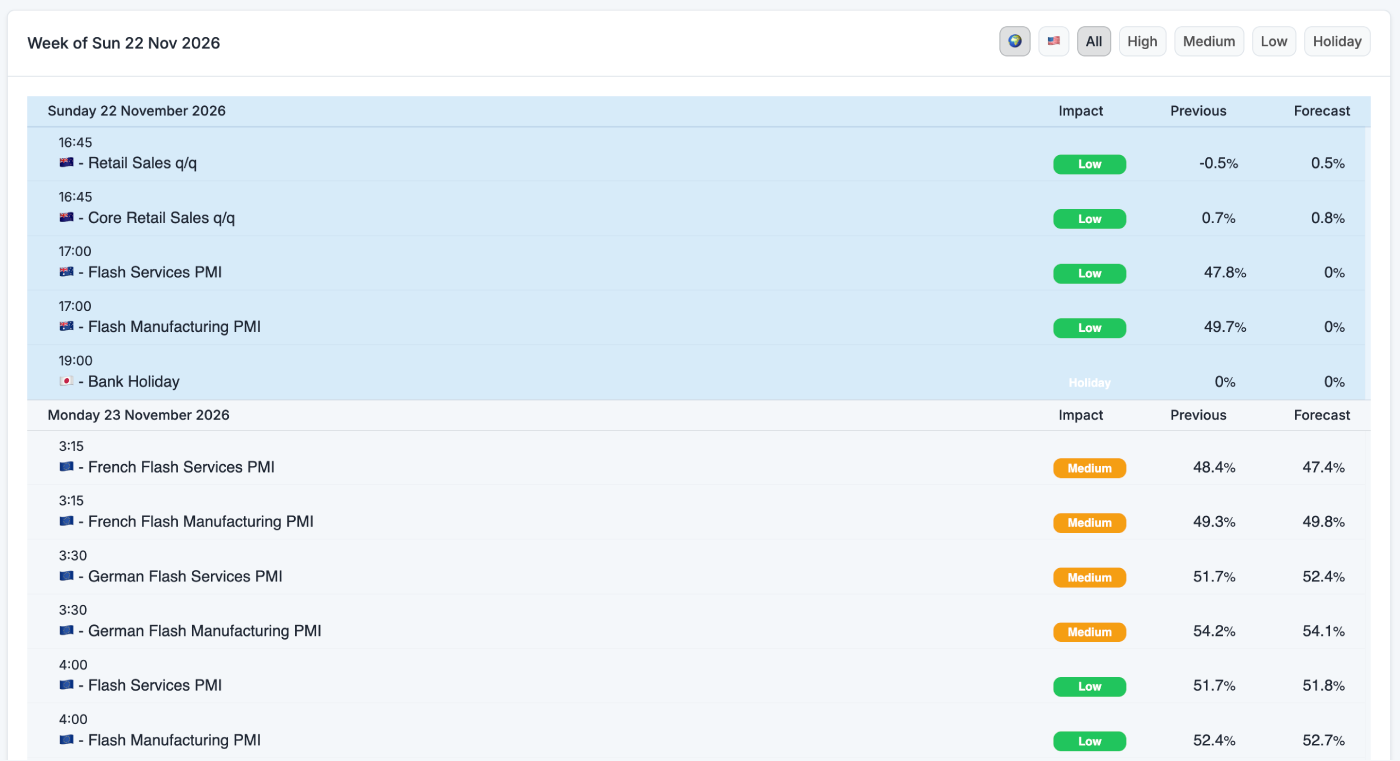
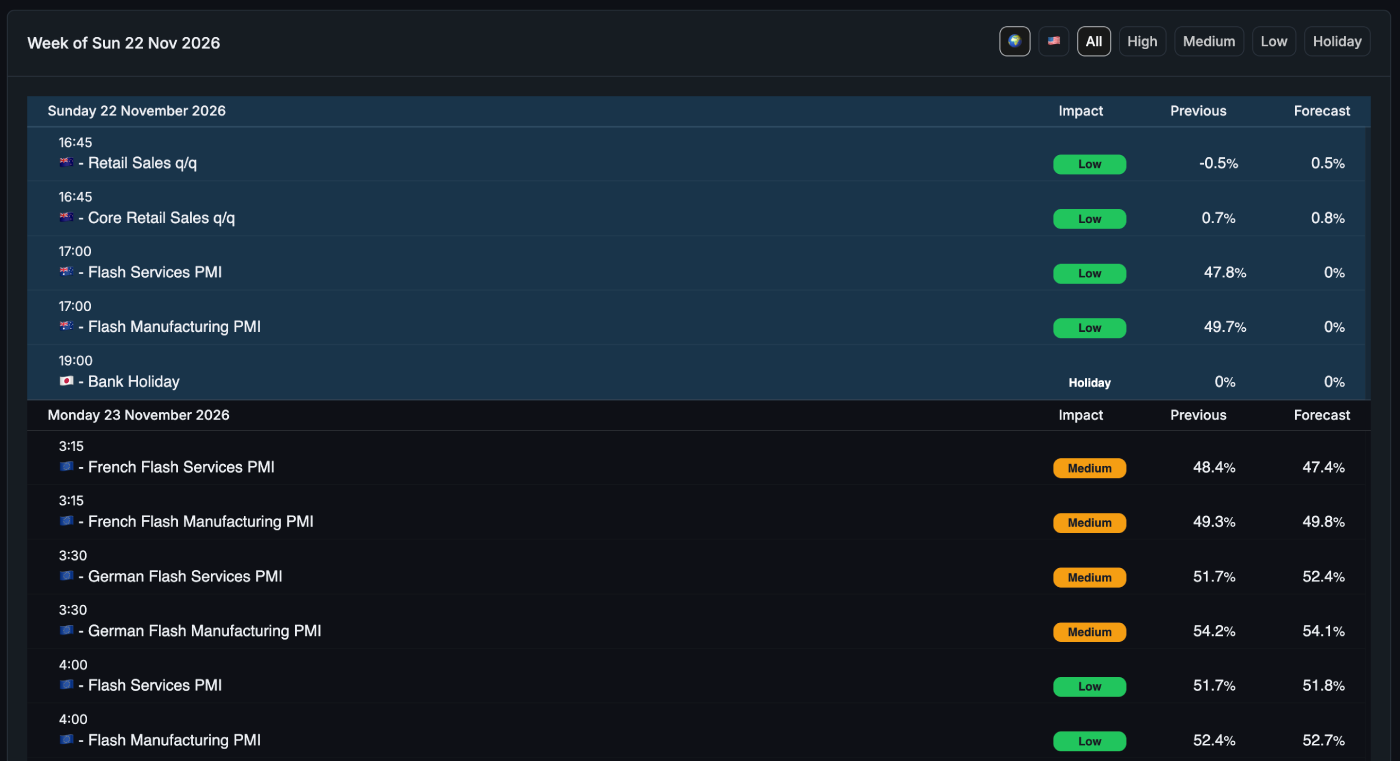
Give customers useful context alongside their account tools, with scheduled events and charting available in the same branded workspace.
Display the current week’s scheduled releases in a daily list, with event times, currency identifiers, impact classifications, previous values, and forecasts.
Give customers a familiar charting environment for exploring available symbols, timeframes, indicators, and price action without leaving your platform.
Give customers a practical starting point for their daily market review, with the current week’s releases, holidays, filters, and forecast context.
Browse releases organised by day and time.
Identify high-, medium-, and low-impact events.
Focus the list by impact or include market holidays.
Switch between all listed events and USD releases.
Review previous and forecast figures before an announcement.
Place charting alongside the accounts, analytics, and journals your customers already use.
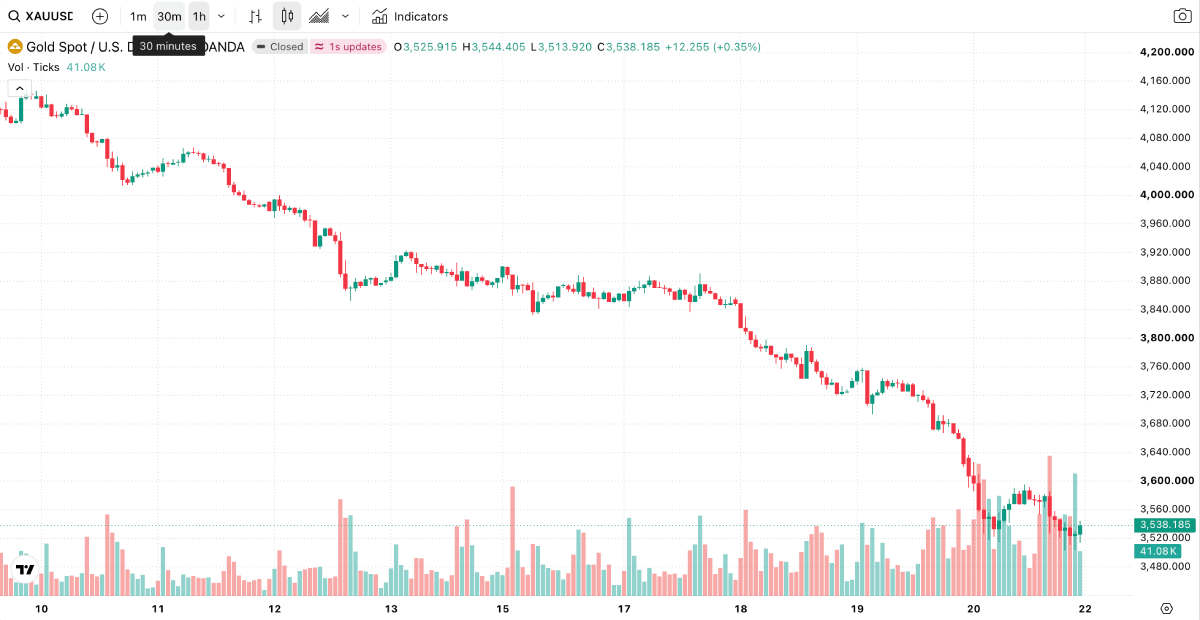
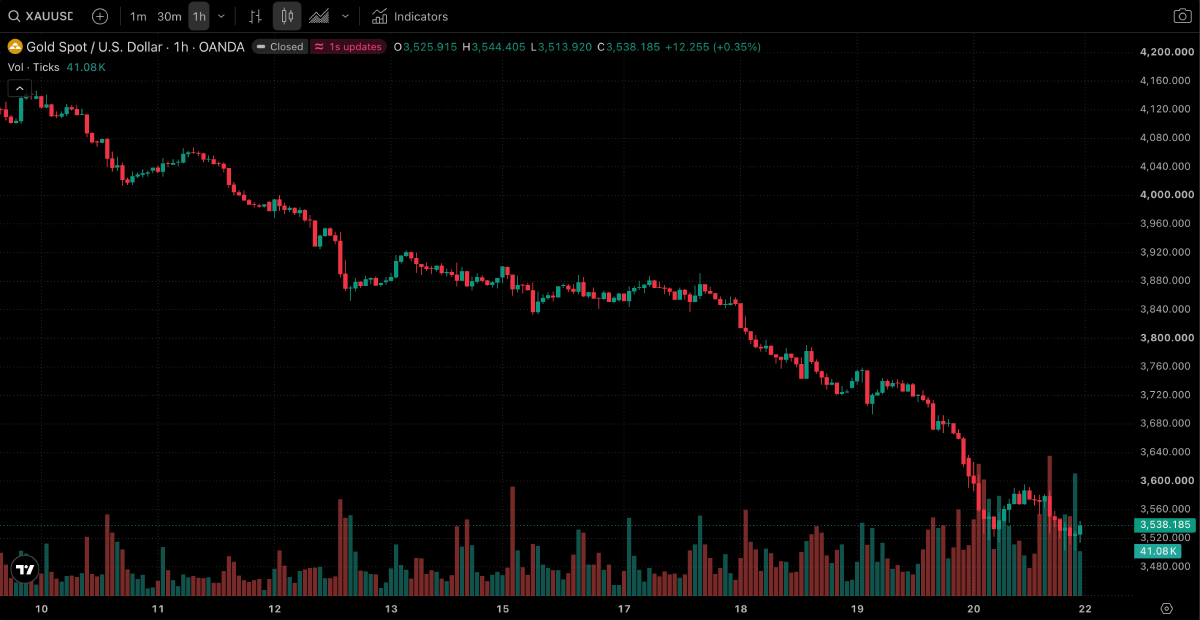
Let customers explore instruments available through the TradingView widget.
Use available timeframes, indicators, and chart controls in a familiar environment.
The chart follows the platform’s selected theme while keeping TradingView attribution visible.
Charting is provided by TradingView. The embedded chart is for market analysis; trades must be placed through the appropriate trading application.
Help customers prepare for the market and carry that context into the rest of their trading workspace.
Check scheduled releases and holidays.
Filter by impact or switch to USD events.
Review available instruments and timeframes through TradingView.
Return to account analytics or the trading journal to review activity and record observations.
Clear answers about calendar data, event filters, TradingView charting, and trade execution.
The platform currently includes an economic calendar and an embedded TradingView chart.
Yes. Customers access them through your portal. The embedded chart retains TradingView’s attribution.
The current week’s listed events, organised by day and time, with currency identifiers, impact classifications, previous figures, and forecasts.
Yes. They can filter by high, medium, or low impact, or holidays. They can also switch between all events and USD events.
The current calendar displays previous and forecast figures. It does not display an actual-results field.
Yes. Symbol switching is enabled for instruments available through the TradingView widget.
Yes. It follows the platform’s selected theme.
No. The chart supports market analysis. Trade execution takes place through the relevant trading application.
Bring economic context and market charting into the same branded platform as their accounts and trading reviews.