

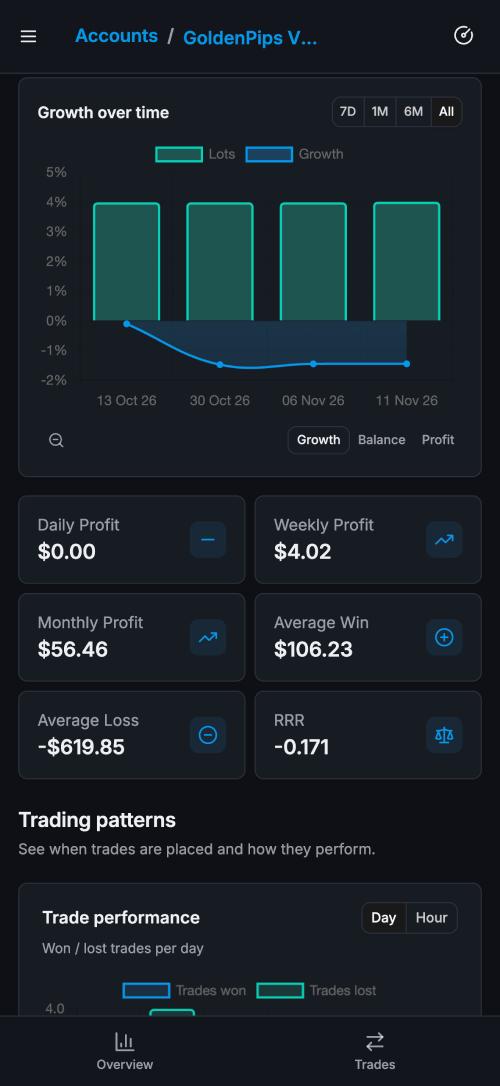


Performance at a glance
Review balance, equity, growth, profit and loss, margin usage, deposits, withdrawals, and trading volume.
Bring connected accounts, performance analytics, and trade history into your branded platform. Give customers tools to understand their trade results.
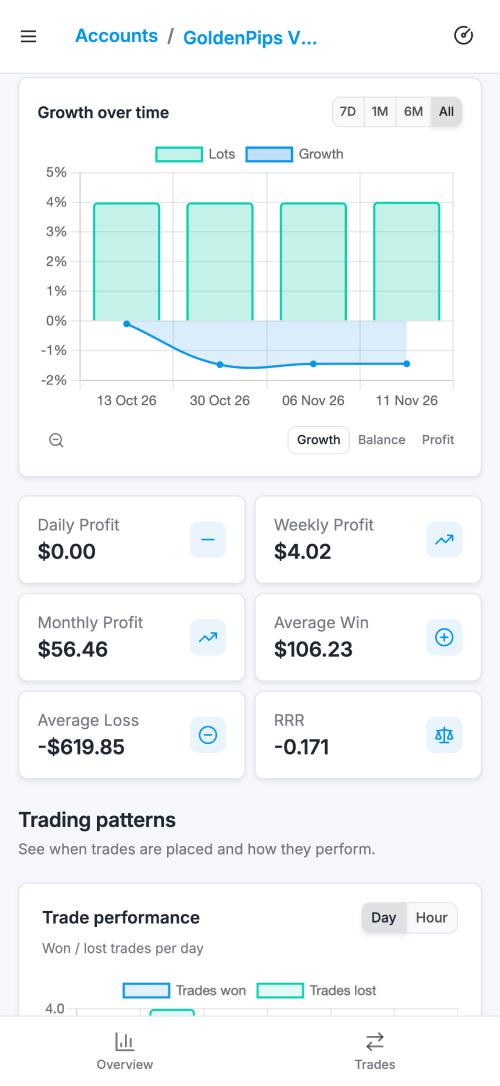
Supported platforms
Give customers one organised place to check their accounts, explore performance, compare trades, and record what they learn.
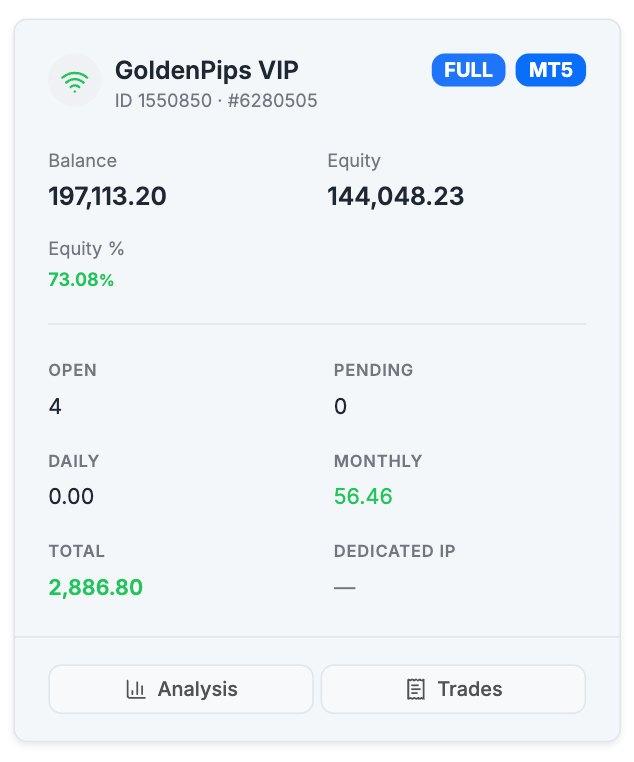
Connection options depend on customer access, supported platforms, and available account capacity.
Bring supported MT4 and MT5 accounts into one portal with connection status, balance, equity, trade counts, and profit summaries.
Use read-only connections for monitoring and analysis, or full-access connections for supported copying and trade-management tools.
Keep account identifiers, broker and server information, and connection responses accessible for setup reviews and issue investigation.
Assign available dedicated IPs to eligible connections, subject to customer access and your business capacity.
Inspect symbol specifications including contract size, currencies, lot limits, lot steps, and stop levels.
Help customers move beyond a single profit figure and examine the account activity, patterns, and trades behind their results.
Review balance, equity, growth, profit and loss, margin usage, deposits, withdrawals, and trading volume.
Move between chart views and time ranges to understand how account results developed.
Explore average wins and losses, best and worst trades, and the split between winning and losing positions.
Break down activity by timing, outcome, and direction to understand when customers trade and how those trades perform.
Compare month-by-month growth, then inspect the instruments traded during a selected period.
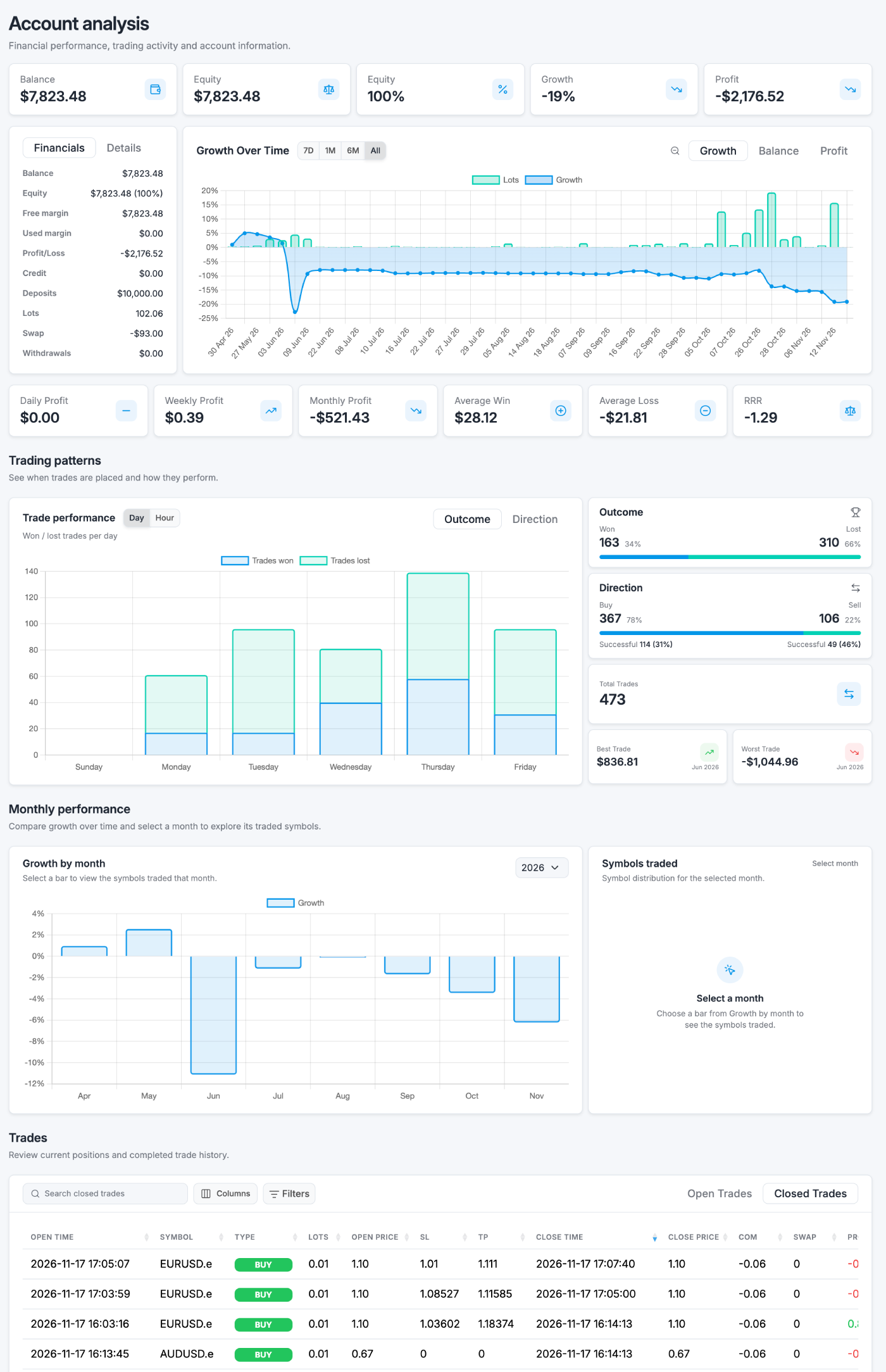
Put detailed trade history and a structured journal alongside account analytics, so customers can connect decisions with results.
Trade history
Review individual trades, focus on specific periods, compare accounts, and export the data.
Review open and completed trades with entry and exit times, prices, lot sizes, stop losses, take profits, commissions, swaps, and profit or loss.
Focus a review on the account and trading window that matter.
Compare linked trades across a main account and comparison accounts, including differences in timing, size, prices, and outcomes.
Download trade-history and comparison data for analysis, reporting, or external record keeping.
Trading journal
Give customers a calendar-led workspace for daily reviews, notes, and performance breakdowns.
Select a trading day and review its results in context.
Bring profit and loss, profit factor, trade count, volume, win rate, and best trade into one view.
Record mindset, strategy, observations, and individual trade notes alongside the activity being reviewed.
Explore results by symbol, hour, and trade duration to understand what shaped the day.
Keep performance sharing connected to account analysis while giving customers control over what appears publicly.
Give customers a shareable account-analysis page without requiring them to assemble separate reports.
Let customers choose which supported metrics, charts, and open or closed trade sections appear.
Customers get a branded workspace for reviewing accounts, performance, trades, and journal entries.
Owners and authorised administrators can review customer account information and analysis within their permitted scope.
A clear path from adding an account to understanding, recording, exporting, and sharing its activity.
Add a supported trading account using the available connection and access options.
Check connection status, balances, equity, trading activity, and performance summaries.
Open analytics, inspect trade history, compare accounts, or review a day in the journal.
Add notes, download trade data, or configure what appears on a public analysis page.
Learn how account connections, performance insights, trade comparisons, journals, exports, and sharing work within your branded platform.
Yes. Customers access account management and analytics through your branded platform.
Yes. Customers can connect multiple supported accounts within their subscription or allowance limits.
No. Read-only connections provide monitoring and analysis. Full-access connections are needed for supported features that execute or manage trades.
They can review connected accounts, connection status, balances, equity, open and pending trade counts, and profit across several periods.
Yes. Analytics include monthly performance, symbol breakdowns, and trading patterns by day and hour. The journal also includes symbol, hourly, and trade-duration breakdowns.
Yes. They can select a main account, comparison accounts, and a date range to review trades together.
Yes. Trade-history and trade-comparison data can be exported as CSV files.
Yes. A public analysis link lets them share an account view and choose which supported metrics, charts, and trade sections are visible.
Yes. Owners and authorised administrators can access customer account information and analysis within their permitted scope.
Bring account management, performance analysis, and structured trading reviews into one branded experience.